Which Photos Work Best for AI Pet Videos?
Use this practical checklist to choose a pet photo with the right pose, crop, lighting, background, and permissions for an AI video.
 Pawdeo Editorial
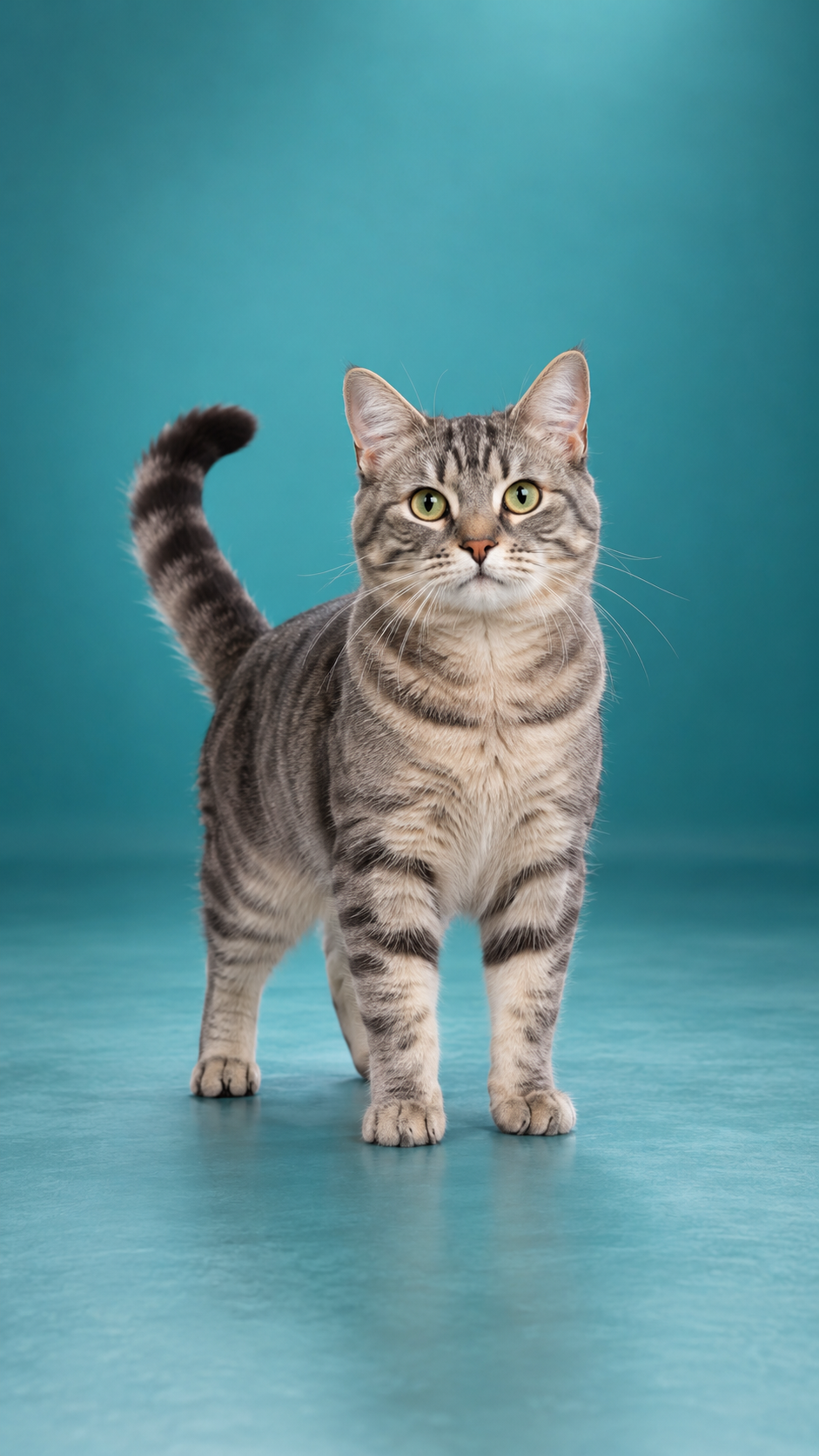
Best-photo answer: use a sharp image of one cat or dog, with the face and required limbs visible, natural lighting, and a simple background. Match the pose to the movement you want.
A five-point photo checklist
- One pet is the clear subject. Two overlapping animals make identity and limb tracking harder.
- The face is sharp. Avoid motion blur, heavy compression, stickers, and fur covering both eyes.
- The pose matches the effect. A dance needs visible paws; an entrance needs a full body and space in the direction of movement.
- The crop leaves breathing room. Do not cut off ears, paws, or tails required by the effect.
- The background is quiet. Busy furniture, leashes crossing the body, mirrors, and other animals can be mistaken for part of the subject.
What photo should I use for a pet dance?
Use one standing pet with all four paws visible. A front or slight three-quarter angle works better than a seated pose or crossed legs. Pawdeo's Pet Gentle Dance intentionally asks for small animal-like movements rather than a human dance routine.
What photo should I use for a birthday video?
Choose a centered full-body pet with clear floor space in front. Avoid a tight face crop. The Pet Birthday Entrance relies on a readable path for the entrance movement.
What photo should I use for a pet memorial?
Use a calm portrait with the pet clearly separated from the background. Choose an image that feels respectful on its own; the Marigold Pet Memorial adds restrained atmosphere rather than dramatic movement.
Do I need a professional camera?
No. A recent phone photo is usually enough if it is sharp, well lit, and not excessively compressed. Resolution cannot repair an unclear pose or hidden limbs, so composition matters more than camera price.
Can people appear in the photo?
Pawdeo's launch policy is pet-only. Do not upload identifiable people, children, public figures, or private documents. Crop them out before uploading, but only if the remaining image still clearly shows the pet and you have permission to use it.
What if the photo is old or damaged?
Minor grain can be acceptable, but missing eyes, severe blur, torn facial areas, or painted-over details create a higher risk of invented features. Pawdeo does not promise restoration accuracy.
Read how to animate a pet photo before creating, and review the input checklist on the exact effect page you plan to use.